


Data & Communications
Data & Communications products support low-voltage voice, network, and media connections at walls, floors, work areas, and equipment locations. Start with the service and cable type, then match the connector or port configuration, mounting format, and number of connections required. For mixed power-and-data locations, choose hardware designed to keep the services properly separated. Confirm cable category, termination method, device fit, and pathway requirements before ordering components for the complete connection.

Showing 1–20 of 160 results

Enerlites Multimedia Face Plate 1-Gang 6-Port Plate

EnVision S-AUD-PIR-SL – Audio Jack SILVAIR

Abra Lighting Canopy Tri-Port Uni-Jack Canopy - 18W, 3000K

Abra Lighting Canopy Six-Port Uni-Jack Canopy - 36W, 3000K

Abra Lighting Canopy Convertible Flat or Barrel Canopy Including Uni-Jack Socket - 54W, 3000K
DMX 8 way Splitter with RDM RJ45
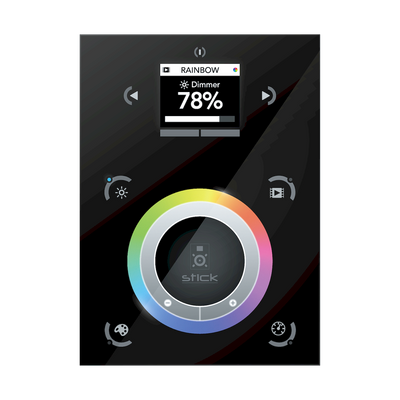
AML-DMX-N-STICKDE3-BK DE3 1024ch, Glass, USB, Ethernet, Color Screen, 500 Scenes, 10 Zones. BD1 Black Finish

AML-DMX-N-NATOUCH1 7" wall-mounted touch screen for remote control with built-in Ethernet and WiFi conections. Comes with pre-loaded Arcolis apps.
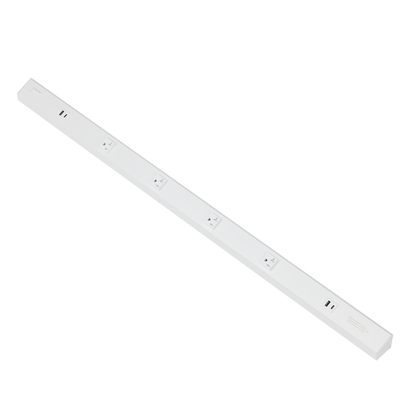
AML-DEC-DMX-RJ45-5X5CH DMX+RDM Decoder: 25CH (5x5CH) with XLR3, XLR5 and RJ45 connections
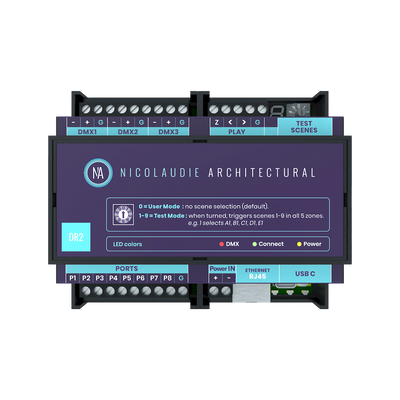
AML-DMX-N-DINADR2 1024ch, Cloud, USB, Ethernet, 8 ports, 99 scenes, 5 zones

AML-DMX-N-STICKDE3-WH DE3 1024ch, Glass, USB, Ethernet, Color Screen, 500 Scenes, 10 Zones. WD1 White Finish

Enerlites Multimedia Face Plate 1-Gang 2-Port Plate

Enerlites Multimedia Face Plate 1-Gang 3-Port Plate

Enerlites Multimedia Face Plate 1-Gang 1-Port Plate

Enerlites Multimedia Face Plate 1-Gang 4-Port Plate
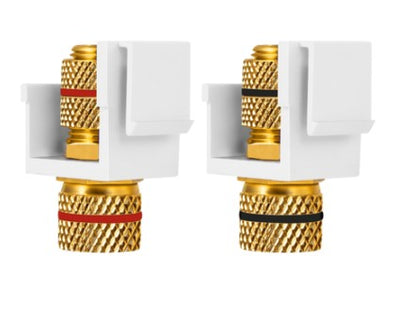
Enerlites Banana Jacks 1 Set Blk/Red 6109-BKRD
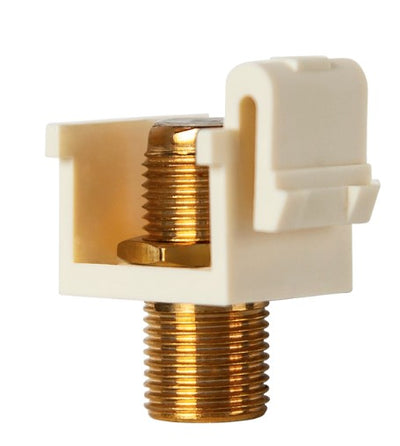
Enerlites Decorator Adapter 1-Gang Gold F-Type Coupler F To F Light Almond 6101-LA

Enerlites Low Voltage Cat5 Coupler, Required Lvd Series LV-CAT5-W

Enerlites 2-Gang Pop-Up Fb Kit With 20A Twr Decorator Receptacle / Rj45 Brass 962301-C-D

Intermatic Ethernet Module ET9232
About Data & Communications
How to Choose Data & Communications Products
Data and communications hardware should be selected around the service being installed, not simply by the appearance of the wall plate or connector. Start by identifying whether the connection carries Ethernet, telephone, media, or another low-voltage signal. Then match the cable, connector type, port count, termination method, mounting hardware, and pathway. For mixed power-and-data locations, plan the enclosure and separation before choosing the finished devices.
- Finishing a wall connection: match the device and port layout to the correct wall plate.
- Bringing power and data into an open floor or conference area: review multi-service floor boxes.
- Supporting and organizing cable along the route: use appropriate cable ties and fastening hardware.
- Housing accessible connections or transitions: select an appropriate junction box or enclosure.
- Adding line-voltage power at the same work area: specify the required electrical receptacle separately.
Match the Connector to the Service Before Choosing the Wall Plate
Connectors that occupy similar wall-plate openings can serve completely different systems. RJ11-style telephone connections and the 8P8C modular connectors commonly called RJ45 for Ethernet are not interchangeable. Coaxial, fiber, and AV connections introduce still different interfaces.
Lumera currently carries telephone wall plates with RJ11 connections, including one- and two-jack configurations. That makes the connector type and required number of ports more important than simply finding a plate with the right color or gang count.
Decision rule: identify the service and connector first, then select the plate or mounting hardware that accepts it. The plate finishes the installation; it does not establish the communications standard.
Cat5e, Cat6 and Cat6A: Keep the Cable and Termination Category Aligned
Cat5e, Cat6, and Cat6A are performance categories for twisted-pair Ethernet cabling. They use the same general eight-position modular connection format, which makes it easy to assume that any jack or plug can be mixed with any cable. The complete channel still needs to be designed around the intended category.
Installing a higher-category termination on lower-category cable does not automatically upgrade the completed link. Cable construction, termination hardware, patching components, installation quality, and connected equipment all influence the final system.
Decision rule: establish the required network category before ordering the permanent cable and termination hardware. Keep those components aligned rather than trying to correct a lower-rated run with one higher-rated connector.
Lumera's Cat5e vs. Cat6 vs. Cat6A guide covers the practical differences between the three categories.
RJ11 vs. RJ45: Voice and Ethernet Connections Are Different
RJ11-style connections are commonly associated with telephone service and use fewer contact positions than the eight-position connector used for Ethernet. An Ethernet plug therefore should not be treated as a replacement for a telephone jack simply because both are modular connectors.
On a work-area plate carrying both voice and data, identify and label the two connections clearly. That becomes especially important in offices and multifamily buildings where future maintenance may be performed by someone who did not install the original cabling.
Decision rule: match each jack to the service and cable behind it, then label the finished connection. Do not use connector appearance as the only identification method.
RJ45 Plugs and Fixed Network Jacks Serve Different Installation Roles
A modular plug is typically terminated directly onto cable for a patch cord or other direct equipment connection. A fixed wall or patching location normally uses a compatible jack or termination module instead. The permanent building cable remains supported behind the outlet while shorter patch cords handle repeated connection and disconnection at the equipment.
The connector must also match the cable category and conductor construction. Solid and stranded cable can require different plug contact designs, so a plug labeled for one cable construction should not be assumed suitable for the other.
Decision rule: decide whether the cable is part of the permanent building link or a movable patch connection before choosing how to terminate it.
Lumera's RJ45 termination guide explains the crimping process, T568A/T568B pinouts, and cable-to-plug compatibility in more detail.
Wall Plates: Match Port Count, Opening Style and Mounting Format
A communications wall plate needs to match what sits both in front of and behind the wall. Count the required connections, identify the module or jack format, and verify the box or low-voltage mounting arrangement before choosing the finished plate.
A one-gang opening, for example, can support different numbers and types of communications ports depending on the plate or insert system. Gang count describes the physical wall-box width; it does not automatically tell you how many data or voice connections the location can support.
Decision rule: build the outlet from the required ports backward. Select the modules first, confirm the mounting system, and then choose the plate that fits the complete arrangement.
Lumera's wall plate collection should be filtered by the actual device opening and gang configuration rather than finish alone.
Power and Data in the Same Floor Box Need Separate Planning
Conference rooms, open offices, retail floors, and other work areas often need both electrical power and low-voltage communications at the same location. A multi-service floor box can provide both through one floor opening while using separate internal compartments for the different services.
That is different from simply putting a receptacle and communication cable into one undivided cavity. The box, partitions, device mounting hardware, cover, and low-voltage modules need to form a compatible assembly.
For example, a conference-table location might combine standard electrical receptacles with network or AV connections. Start with the multi-service floor-box system, then specify the devices and inserts that fit that system.
Decision rule: where line voltage and communications meet at one location, choose the box architecture first and maintain the required separation throughout the assembly.
Permanent Cabling Needs the Right Pathway and Support
Connector quality alone will not protect a poorly routed cable. Low-voltage cable needs an appropriate pathway and support method that avoids excessive tension, crushing, sharp bends, or unsupported weight at the termination.
Bundle size also matters. Cinching a cable tie excessively tight can deform twisted-pair cable, while allowing the cable weight to hang directly from a wall jack places unnecessary stress on the termination. Follow the cable manufacturer's bend-radius and support guidance for the specific product.
Decision rule: support the cable along the route and leave the connector to terminate the conductors—not to carry the weight of the cable run. Lumera's cable-support products cover fastening options for suitable applications.
Plenum, Riser and General-Purpose Cable Ratings Describe Installation Location
Cable category and cable fire rating answer different questions. Cat5e, Cat6, or Cat6A describes network performance, while markings such as CMP and CMR relate to where the cable is permitted to be installed based on its fire-performance classification.
A higher Ethernet category does not automatically provide a higher building-space rating. A Cat6 cable, for example, still needs the appropriate jacket rating for the pathway or space where it will be installed.
Decision rule: determine both network performance and building-space requirements before selecting cable. Do not treat “Cat6” or “Cat6A” as a complete cable specification.
Lumera's Networking Guides separately address cable categories, connector types, and installation considerations.
Keep Power Wiring and Communications Cabling Organized as Separate Systems
Low-voltage communications cabling should not be treated as ordinary branch-circuit wiring simply because the two systems travel through the same building. Shared routes, boxes, and equipment areas need to be planned around the requirements of both systems.
This is especially important at floor boxes, equipment closets, workstation drops, and other locations where data cabling approaches line-voltage wiring. Use enclosures, compartments, pathways, and fittings appropriate to the installation rather than routing everything through the most convenient opening.
Where an accessible enclosure is required for another part of the installation, Lumera's junction boxes and enclosures can be evaluated separately from the communications termination itself.
Test and Label Permanent Network Runs Before Turnover
A terminated connection can look correct and still contain a swapped pair, open conductor, incorrect pinout, damaged cable, or other fault. Test permanent network runs after termination and before the project is turned over or access above ceilings becomes difficult.
Labeling matters just as much. Use consistent identification at both ends of the run so a wall outlet can be traced to its corresponding equipment or patching location without trial and error.
Decision rule: treat testing and labeling as part of the completed installation, not optional cleanup after the cabling work is finished.
What to Confirm Before Ordering Data & Communications Products
- Service: Ethernet, telephone, coaxial, fiber, AV, or another low-voltage system.
- Cable category: identify the required network-performance category where applicable.
- Cable construction: solid or stranded and shielded or unshielded when relevant.
- Location rating: confirm the required cable-jacket classification for the installation space.
- Connector: plug, jack, coupler, adapter, or another specified termination.
- Port count: determine the number and types of connections at each work area.
- Mounting: wall plate, floor box, surface box, enclosure, rack, or other system.
- Termination method: crimp, punch-down, feed-through, or another product-specific method.
- Power separation: plan barriers or compartments where line voltage shares a location.
- Pathway and support: account for routing, cable support, bend limits, and future service access.
Data & Communications FAQs
What are Data & Communications products?
Data & Communications products are components used to terminate, mount, route, organize, and access low-voltage voice, network, media, and related signal connections. The correct hardware depends on the service, cable, connector, port count, and mounting location. Start with the connection being built rather than selecting a wall plate or box first.
What is the difference between RJ11 and RJ45?
RJ11-style connectors are commonly used for telephone connections, while the eight-position modular connector commonly called RJ45 is used for twisted-pair Ethernet. They differ in contact arrangement and application and should not be treated as interchangeable. Lumera currently carries RJ11 telephone wall plates for voice connections.
Can I use a Cat6 jack on Cat5e cable?
A Cat6-rated termination does not turn Cat5e cable into a Cat6 channel. The finished network link is constrained by the cabling system and its relevant components. For new installations, select the intended category first and keep the permanent cable and terminations aligned with that specification.
What is the difference between a data wall plate and a keystone wall plate?
A data wall plate describes the finished communications outlet broadly, while a keystone-style plate uses modular openings that accept compatible snap-in connectors. Keystone systems can make port layouts flexible, but module dimensions still need to match the particular plate. Do not assume every manufacturer's multi-port plate accepts every third-party module without checking fit.
Can power and data be installed in the same floor box?
They can share a purpose-built multi-service floor box when the assembly provides separate compartments and suitable mounting for the different services. They should not simply be mixed inside an ordinary undivided cavity. Lumera's floor box collection includes multi-service configurations designed around combined power and low-voltage access.
Should permanent Ethernet cable use a plug or a fixed jack?
Permanent building cabling is generally better treated as a fixed structured-cabling link, with compatible wall or patching terminations and patch cords handling equipment connections. Direct plug termination may be appropriate for specific installations, but the connector must match the cable category and conductor construction. Use the system design rather than connector convenience to make the choice.