


AV
AV products support low-voltage audio-video connection points, equipment interfaces, and organized cable routing in residential and commercial spaces. Start with the signal or connection requirement, then match the device to the mounting location and compatible box or plate system. Cable path, service access, and separation from line-voltage wiring also affect the installation. For larger AV layouts, map each connection point and cable route before standardizing hardware or quantities.
Showing 1–20 of 27 results
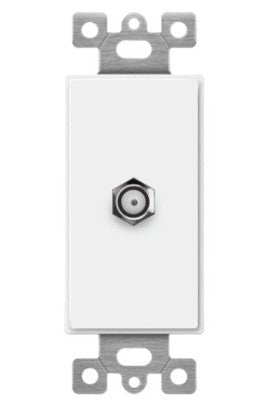
Enerlites V&A Slv F-Type Conf To F Light Almond 6505-LA
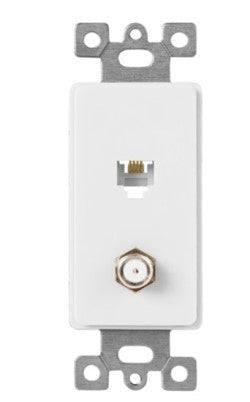
Enerlites V&A Rj11 4-Pos / 4-Cond & F-Type Conf To F Light Almond 6507-LA

EnVision S-AUD-PIR-SL – Audio Jack SILVAIR

AML-DMX-N-DINADR1 3072ch, Cloud, USB, Ethernet, Dali, Audio, 2000 scenes, 20 zones

Enerlites V&A Slv F-Type Conf To F

Enerlites V&A Rj11 4-Pos / 4-Cond & F-Type Conf To F

Enerlites Phone/Cable 0.406" Dia. Hole 1-Gang

Enerlites Decorator Adapter 1-Gang Cat5E Jacks 6105-LA

Enerlites Decorator Adapter 1-Gang F-Type Coupler F To F

Enerlites Phone Jacks

Enerlites Hdmi Keyssone 6107

Enerlites Decorator Adapter 1-Gang Cat6 Jacks

Orbit Keystone Jack Blank White KJBW
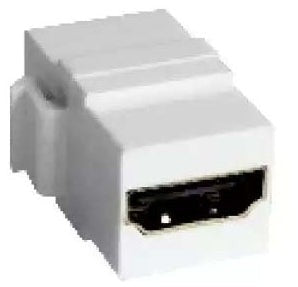
Orbit Keystone Jackholder Hdmi White KJHW

Orbit Keystone Jack Holder 4PORT White KJH4PW

Orbit Smooth Wall Jack 2F Connector Ivory WJF2I

Enerlites Decorator Adapter 1-Gang F-Type Coupler F To F 6102
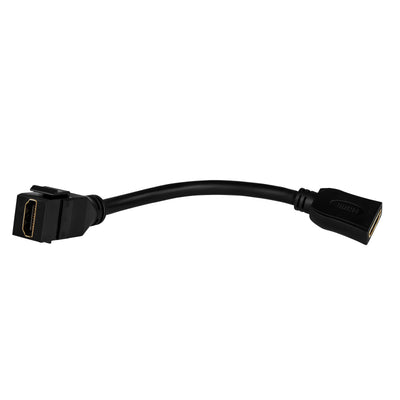
Enerlites Hdmi Female Keystone With Pigtail Black 6108-BK

Orbit Keystone Jack Fconnector White KJFW

Orbit 1G Stainless Cover Phonecable 0.406 in OS11
About AV
How to Choose AV Products for Connections, Cable Routing, and Access Points
AV products should be selected around the signal path and the way users will connect equipment at each location. Start by identifying what must connect, where the connection point will be mounted, and how the cable will travel between equipment. Then verify box depth, plate or module compatibility, bend space, service access, and separation from line-voltage wiring. A connector or plate that fits physically is not automatically the right choice for the cable, interface, or installation layout.
- Finishing an AV connection at the wall? Match the device opening with wall plates and device plates.
- Bringing AV and power to a conference table or open floor? Review floor box assemblies.
- Planning the surrounding electrical devices? Coordinate them through wiring devices.
Start With the Signal and Connection Type
AV systems can carry video, audio, control, data, or combinations of those signals, and each interface has its own cable and termination requirements. The first purchasing decision is therefore the connection being extended or presented to the user, not the finish of the wall plate.
For a conference room with three display connection points, document the required interface at each location before choosing plates or boxes. Decision rule: define both ends of every AV link first—source and destination—then select connection hardware that matches that signal path rather than relying on a visually similar opening.
Match the AV Device to the Box and Wall Plate
An AV insert, connector, or pass-through still has to fit the physical mounting system around it. Gang count, opening dimensions, module format, box depth, and plate style can all affect compatibility. A correct cable interface can still become an ordering mistake if the device does not fit the selected plate or back box.
A 2-gang presentation point may combine several low-voltage connections while another location needs only one opening. Establish the device layout before ordering the finished plate. Lumera’s wall plate selection should be matched by gang count and opening type, while the rough-in can be coordinated with suitable device and outlet boxes.
Box Depth Matters Behind AV Connections
Many AV cables and connectors need more rear clearance than a simple switch or receptacle because the cable may have a larger connector body or a limited bend radius. A shallow box can force the cable into a tight bend or make the finished device difficult to seat correctly.
For example, an AV cable entering a wall connection with a rigid factory connector may need substantially more usable depth than a small control conductor. Decision rule: check connector depth and cable-bend space before choosing the box. Where the connection requires a larger accessible enclosure rather than a device box, review junction boxes and enclosures instead.
Plan Power and AV Together Without Treating Them as the Same Wiring System
Displays, conferencing equipment, and other AV devices often need both signal connectivity and electrical power at the same location. That does not mean the conductors should simply share the same unrestricted cavity or routing path. The box, divider, raceway, or assembly has to support the intended combination and installation requirements.
A conference table with one power receptacle beside low-voltage AV connections is a common example. Lumera’s floor box category includes multi-service concepts that separate power and low-voltage services within one access point. Coordinate the electrical side separately through the appropriate receptacles and wiring devices.
Keep Cable Runs Serviceable Instead of Building Hidden Failure Points
AV cables can require replacement when equipment or interface standards change, so routing and access matter. Concealing every connection permanently behind finished surfaces can turn a simple equipment change into wall or ceiling work. Where possible, plan accessible pathways, pull points, and connection locations that allow future service.
If a 40-ft cable route crosses several finished spaces, document where the cable enters and leaves each accessible area before construction closes the path. When flexible cables pass into cabinets or enclosures, suitable cable glands and cord grips can provide strain relief where the application calls for it.
Choose Floor, Wall, or Equipment-Mounted Access From How the Space Is Used
The connection location should follow the furniture and equipment layout. Wall-mounted access works well when displays or racks stay near the perimeter, while floor access can be useful where furniture sits away from walls. Equipment cabinets may need direct cable entry rather than a finished user-facing plate.
For a 20-ft conference room with a table centered in the space, running every user cable back to one wall can create an awkward path across the room. If the connection needs to emerge at the table location, evaluate an appropriate floor access solution; if the equipment is fixed to a wall or structure, coordinate the physical installation with mounting accessories.
Mounting Hardware Should Match the Device and Surface
AV plates, enclosures, displays, and related accessories may all need mechanical support, but mounting parts are not universal. Hole pattern, surface material, equipment weight, bracket geometry, and clearance all affect the correct hardware. The signal connection and the mechanical installation should be planned together.
A wall-mounted AV enclosure attached to masonry has different fastening requirements from a lightweight plate mounted to a device box. Select the mounting interface from the exact equipment first, then match anchors or fasteners to the substrate. Lumera’s hardware and fasteners can support that separate mechanical side of the installation.
Ordering AV Products for a Larger Project
For offices, hospitality spaces, classrooms, conference rooms, or multi-room projects, organize the AV schedule by room, connection point, interface requirement, box or mounting location, cable route, plate configuration, and quantity. Keeping those items tied together helps prevent the correct connector from arriving with the wrong box or plate. Repeat buyers can also review Lumera Electric’s trade account options.
Request an AV Project Quote
For larger quantities or projects with