


Jacks
Network jacks create fixed connection points for Ethernet and other structured low-voltage cabling in walls, floor boxes, and equipment locations. Choose by cable category, termination method, and mounting format so the jack matches both the installed cable and the finished outlet. Permanent cabling typically terminates at punch-down jacks rather than crimped patch-cord plugs. For larger network layouts, standardize the cabling category and outlet format before ordering jacks, plates, and related hardware.
Showing 1–20 of 74 results
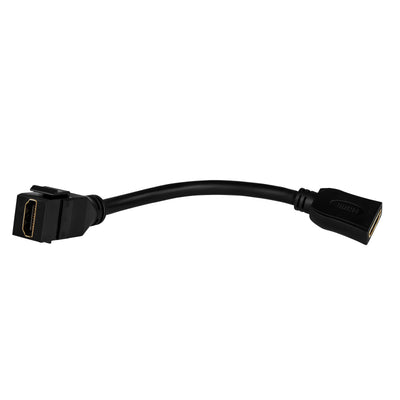
Enerlites Hdmi Female Keystone With Pigtail Black 6108-BK

Enerlites Phone Jacks Light Almond 6106-LA
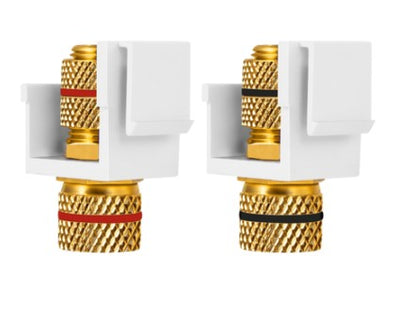
Enerlites Banana Jacks 1 Set Blk/Red 6109-BKRD

Orbit White Decorative Wall Jack DWJFW

Orbit White Decorative Wall Jack DWJ64W

Orbit Keystone Jack Holder 4PORT White KJH4PW

Orbit Keystone Jack Fconnector White KJFW
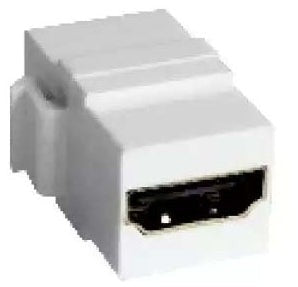
Orbit Keystone Jackholder Hdmi White KJHW

Orbit Keystone Jack Blank White KJBW

Orbit Smooth Wall Jack 2F Connector Ivory WJF2I

EnVision S-AUD-PIR-SL – Audio Jack SILVAIR

Abra Lighting Canopy Tri-Port Uni-Jack Canopy - 18W, 3000K

Abra Lighting Canopy Six-Port Uni-Jack Canopy - 36W, 3000K

Abra Lighting Canopy Convertible Flat or Barrel Canopy Including Uni-Jack Socket - 54W, 3000K

Enerlites Phone Jacks

Enerlites Decorator Adapter 1-Gang Cat6 Jacks

Enerlites Decorator Adapter 1-Gang Cat5E Jacks 6105-LA

Orbit Keystone Jack CAT6A White KJC6AW

Orbit Keystone Jack CAT6 White KJC6W

Orbit Keystone Jack CAT5E White KJC5EW
About Jacks
How to Choose Network Jacks for Structured Cabling
Network jacks should be selected as part of the complete cabling channel, not as an isolated wall fitting. Start with the cable category installed in the building, then confirm the jack’s termination method and mounting format. Permanent solid-conductor cabling commonly terminates on insulation-displacement contacts at the wall jack, while flexible patch cords use plugs at the equipment end. Plate compatibility, box depth, wire-pair layout, and testing all affect whether the finished connection performs as intended.
- Finishing the connection at a wall opening? Match the jack to compatible wall plates and device plates.
- Bringing data to an open office or conference table? Review floor boxes with low-voltage access.
- Need a box behind the finished outlet? Compare device and outlet boxes by depth and opening.
Match the Jack Category to the Installed Ethernet Cable
The jack should support the same structured-cabling category as the permanent cable rather than becoming the weak link in the channel. Cat5e, Cat6, and Cat6a cabling have different performance targets, and a higher-category cable does not automatically deliver its intended performance through a lower-rated termination. For a 24-port office build using Cat6 throughout, standardize the wall jacks and patch-panel terminations around that same category. Decision rule: specify the permanent cable first, then select jacks and other channel components that support that cabling system.
Use Punch-Down Jacks for Permanent In-Wall Cable
Permanent network runs and flexible patch cords terminate differently. Lumera’s networking guidance explains that wall jacks and patch panels use IDC terminals, where each conductor is punched into a color-coded slot, while modular plugs are crimped onto patch cords. A 90-ft permanent run should therefore land on fixed terminations at each end rather than simply having plugs crimped directly onto the building cable. Follow the jack’s T568A or T568B markings consistently, preserve pair twist close to the termination, and verify the finished link with appropriate test equipment.
Plan the Jack, Plate, and Box as One Assembly
A jack can be electrically correct and still fail the installation if it does not fit the selected plate or if the box leaves too little rear clearance. Keystone-style openings, gang count, box depth, connector projection, and cable bend space all need to work together. In a 2-gang workstation outlet with several low-voltage connections, lay out every module before choosing the finished plate. If the jack mounts at a standard wall location, coordinate the outlet with the correct plate opening; where additional depth is needed, review the box dimensions before rough-in.
Keep Pair Twist and Cable Routing Intact Near the Termination
Network performance depends on more than conductor continuity. Untwisting the pairs too far back, crushing the cable with an overly tight fastener, or forcing a sharp bend directly behind the jack can reduce signal margin. On a 20-drop office installation, consistent termination workmanship matters more than making each outlet look neat from the front. Keep pair twist close to the IDC terminals, respect the cable’s bend requirements, and avoid overtightening bundles. Where cabling needs organization along the route, choose suitable cable ties and cable-management hardware rather than compressing the jacket.
Keep Network Cabling Organized Around Power and Equipment
Data outlets often appear near receptacles, displays, access points, cameras, or other powered equipment, but the low-voltage pathway still needs to be planned deliberately. A multi-service floor box, for example, can present power and data at one location while keeping the services in separate compartments designed for that purpose. For a conference table 15 ft from the nearest wall, a suitable multi-service floor box may create a cleaner access point than exposed extension cables. Where cables enter an accessible equipment enclosure, use an appropriately sized enclosure or junction-box solution when the installation calls for one.
Ordering Network Jacks for a Larger Cabling Project
For office, residential, hospitality, or other multi-drop installations, build the material schedule by cable category, room or outlet ID, jack quantity, plate configuration, box type, and termination standard. Keep each outlet number tied to its patch-panel position so labeling and testing stay consistent. Project buyers sourcing repeated quantities can also review Lumera Electric’s trade account options.
Request a Network Jack Project Quote
For larger quantities or structured-cabling projects with repeated outlet configurations, request a project quote after the cable and outlet schedule has been established.
Have these details ready:
- Cable category used for the permanent run
- Number of network outlets and jacks
- T568A or T568B termination standard
- Wall, floor, furniture, or equipment mounting location
- Required plate and gang configuration
- Box or mounting depth
- Shielded or unshielded system requirements, where applicable
- Patch-panel and labeling plan
- Required quantity by room or zone
For multi-room projects, you can also submit your network outlet schedule so jacks, plates, boxes, and quantities remain coordinated.
Network Jack FAQs
What is the difference between an RJ45 plug and a network wall jack?
An RJ45-style modular plug is crimped onto a cable end, while a permanent wall jack normally terminates the individual conductors on IDC contacts using a punch-down tool. Lumera’s RJ45 termination guide explains why punch-down jacks are the standard approach for permanent in-wall runs and crimped plugs are more typical on patch cords.
Can I use a Cat5e jack on Cat6 cable?
The connection may physically fit, but the lower-category component can prevent the complete channel from meeting the higher Cat6 performance target. For a new structured-cabling installation, match the cable, jack, patch panel, and patching components by the intended category. Lumera’s Cat5e vs. Cat6 vs. Cat6a guide explains how the category specifications differ.
Should I wire network jacks as T568A or T568B?
Either standard can produce a correctly wired Ethernet connection when the system is designed for it; consistency is the important part. The orange and green pair positions differ between T568A and T568B. Follow the project specification and the color code printed on the jack, and keep the selected scheme consistent across the installation unless the design specifically requires otherwise.
Do network jacks fit any wall plate?
No. The jack and plate need compatible module openings and physical dimensions. A standard decorator, toggle, or duplex opening is not automatically suitable for a network jack. Select the termination hardware first, then match it to the appropriate wall plate configuration and verify that the box behind it has enough depth for the cable bend.
Can network and power connections share the same floor box?
Yes, when the floor-box assembly is designed as a multi-service system that keeps line-voltage and low-voltage wiring properly separated. Do not combine the services in an unrestricted shared cavity simply because both fit. Lumera’s floor box options include multi-service configurations intended to coordinate power and low-voltage access at one location.