


Standard Switches
Smart switches add connected on/off control to compatible hardwired lighting and other supported loads. Choose by connected load, neutral-wire requirements, and the smart-control ecosystem or hub the project will use. Multi-location circuits may also require a compatible companion switch or wireless remote rather than a conventional second switch. For whole-home or multi-room projects, standardize the control platform before ordering devices so switches, remotes, hubs, and schedules work together as one system.
Showing 1–20 of 334 results
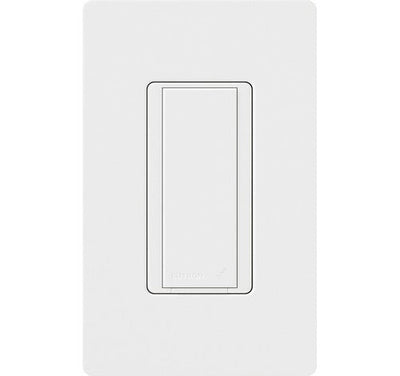
Lutron Maestro Switch 120 V, Biscuit (RD-RS-BI)
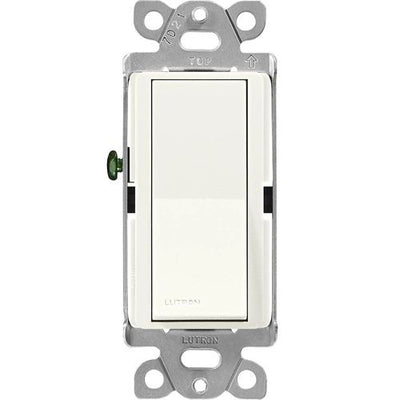
Lutron Claro Switch 15 A, Biscuit (SC-1PS-BI)

Lutron Maestro Switch 8 A, Palladium (RRD-8S-DV-PD)

Lutron Maestro Switch 8 A, Biscuit (RRD-8S-DV-BI)
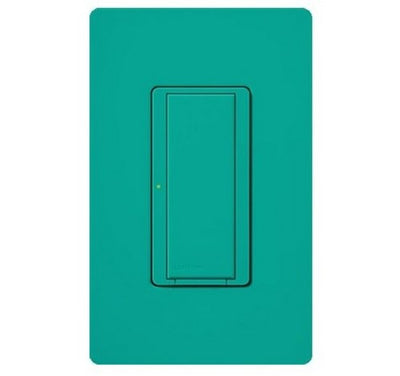
Lutron Maestro Switch 8 A, Biscuit (RRD-8ANS-BI)

Lutron Maestro Switch 8 A RRD-8ANS

Enerlites Z-Wave Aux Switch 15Sm/500Dm ZW3K-W

Morris 70176 Lighted Rocker Switch, DPST, On-Off, 20A

Morris 70250 Momentary-Contact Toggle Switch, SPST, On-Off, 20A

Morris 70073 Heavy-Duty Toggle Switch with Boot, SPST, On-Off, 20A

Intermatic Switch Assembly PA102

Enerlites Wi-Fi 15A Decorator Switch White WF15S-W

Orbit 15A 120-277V Single-Pole Rocker Switch DSC38

Orbit 15A 120-277V Single-Pole Rocker Switch DSC38C

Intermatic Momentary Contact Switch MS-101-WH

Intermatic Fireman Switch 156T4042A

Intermatic ABRA Surface Switch SH-ABSW-WH

Intermatic Smart Surface Switch SH-ABSWSP-WH

ELCO Lighting Lighting Accessory T-SWITCH

ELCO Lighting Lighting Accessory T-SWITCH-LD5
About Standard Switches
How to Choose Smart Switches for the Load, Wiring, and Control System
Smart switches combine a hardwired wall control with connected features such as app access, schedules, scenes, or compatible voice control. The electrical requirements still come first. Identify the load being switched, confirm the available wiring in the box, and then choose a device that works with the intended smart-control platform. Also plan any multi-location controls before ordering. A switch can have the right wireless features and still be wrong for the circuit if its load rating, neutral requirement, or companion-device arrangement does not match.
- Need adjustable brightness as well as connected control? Choose smart and wireless dimmers.
- Need simple manual on/off control with no connected features? Compare standard switches.
- Need lights to respond automatically to room occupancy? Review occupancy and motion sensors.
- Planning hubs, relays, plugs, and several connected device types? Start with smart controls.
Match the Smart Switch to the Connected Load
A smart switch should be selected by the load it actually controls, not just by the branch-circuit breaker rating. Electronic switches can have different ratings for lighting, fans, motors, or other loads, and those ratings vary by model. A device suitable for one bank of LED fixtures may not be suitable for a motor load simply because both operate on the same supply voltage.
For example, a room with six LED fixtures and a bathroom exhaust fan represents two different load types even if both are controlled from wall boxes. Decision rule: identify the load type and total connected load first, then verify the exact switch rating before ordering.
Check for a Neutral Wire Before Ordering the Switch
Many smart switches need continuous power for their electronics and wireless communication, which can require a neutral conductor in the wall box. That conductor may not be present in every existing switch location, especially where older wiring methods brought only the switched conductors to the box. Requirements vary by device, so the box should be checked rather than assumed.
On a 12-room retrofit, discovering after delivery that several switch boxes lack the wiring required by the selected control can change the entire device schedule. If the project is replacing existing switches, inspect representative locations first and verify the wiring requirements for the exact model before standardizing it across the building.
Choose the Smart-Control Ecosystem Before Buying Room by Room
Smart switches can communicate through different wireless platforms or proprietary control systems, and devices from different ecosystems are not automatically interoperable. Some systems use a hub or bridge, while others communicate directly through the local network. The right architecture depends on the devices being coordinated and the platform the project intends to maintain.
A four-switch installation can be planned differently from a 40-switch whole-home or multi-room project. Decision rule: choose the control ecosystem and confirm its hub requirements before selecting individual wall devices. Where switches are part of a broader connected system, Lumera’s connected-control products cover hubs, relays, plugs, and related system components.
Plan Three-Way and Multi-Location Control Before Replacing Existing Switches
Connected multi-location systems do not always reproduce a conventional 3-way circuit device for device. Depending on the system, one powered smart switch may work with a compatible accessory control or wireless companion at another location. The exact wiring and pairing method is product-specific.
For a staircase controlled from two locations, determine which box will contain the primary powered device before removing the existing switches. A room with three control points may require a different combination again. Where the selected system uses companion controls, compare Lumera’s wireless remotes and verify compatibility with the primary switch before ordering.
Use a Smart Dimmer or Occupancy Sensor When the Job Calls for a Different Control
A smart switch provides connected on/off control; it does not automatically provide dimming. Likewise, a network connection is unnecessary when the actual requirement is simply to turn lights on or off based on room occupancy. Defining the desired behavior before choosing the device keeps the switch from doing a job better handled by another control type.
If a dining-room circuit needs five useful brightness levels, start with a dimming control instead of a smart switch. If a storage room only needs automatic operation when someone enters, a sensor may be the simpler architecture. Choose the control function first, then add connectivity only when remote access, scheduling, scenes, or system integration are actually required.
Confirm Wall-Box Space, Device Style, and Wall Plate Fit
Electronic wall controls can require more usable box space than a basic mechanical switch, especially once conductors, grounding, connectors, and neighboring devices share the enclosure. Multi-gang installations also need compatible device spacing and a finished plate that matches the switch opening.
In a 2-gang box containing a smart switch beside another control, check the device dimensions and conductor space before assuming both controls will fit comfortably. Once the electrical devices are selected, match the gang count and opening style with Lumera’s wall plates and switch plates. The plate should finish the installation, not determine which electrical device gets used.
Install and Commission the Smart Controls as One System
Smart switches connect to building wiring and should be installed by a qualified electrician who can verify conductor identification, grounding, circuit requirements, and the connected load. The connected features also need commissioning after the wiring is complete. Pairing devices, naming circuits, assigning rooms, configuring schedules, and testing multi-location controls are part of the finished installation.
A 20-switch project becomes difficult to service if every device is left with a default name or uncertain room assignment. Build a simple device schedule during installation so the physical switch, app name, room, and controlled load remain tied together. Broader electrical-device coordination can be handled through Lumera’s wiring devices section.
Ordering Smart Switches for a Larger Project
For whole-home, multi-unit, hospitality, or other repeated installations, organize the device schedule by room, controlled load, supply voltage, neutral availability, control ecosystem, primary or companion device, and finish. Keep hubs and wireless companions tied to the same system rather than purchasing them as independent accessories. Repeat project buyers can also review Lumera Electric’s trade account options.
Request a Smart Switch Project Quote
For larger quantities or projects with repeated control configurations, request a project quote after the wiring and control architecture have been established.
Have these details ready:
- Number of smart switches required
- Load controlled by each switch
- Supply voltage
- Neutral-wire availability
- Single-location or multi-location control
- Required companion switches or wireless remotes
- Preferred smart-control ecosystem
- Hub or bridge requirements
- Device finish and wall-plate requirements
For larger homes or multi-room projects, you can also submit your smart-control schedule so each switch remains matched to the correct load, room, companion device, and control platform.
Smart Switch FAQs
What is the difference between a smart switch and a smart dimmer?
A smart switch provides connected on/off control, while a smart dimmer also adjusts the light output of a compatible dimmable load. If the project needs variable brightness, use a smart or wireless dimmer rather than assuming the switch can dim because it connects to an app.
Do smart switches need a neutral wire?
Many do, but the requirement varies by model. Smart controls need power for their electronics even while the controlled load is off, and a neutral is one common way to provide it. Inspect the existing box and check the exact device instructions before ordering. Lumera’s guide to electrical switch types covers neutral requirements as part of electronic-control selection.
Do I need a hub for a smart switch?
It depends on the control system. Some smart switches communicate through a dedicated hub or bridge, while other products connect through a different supported network or platform. Choose the ecosystem before the individual device and verify whether a hub is required. Lumera’s smart-control collection covers compatible hubs and related system components.
How does a smart switch work in a 3-way circuit?
The arrangement depends on the product. Many connected systems use one primary powered switch with a compatible accessory or wireless companion at the second location instead of duplicating a conventional 3-way pair. Follow the exact wiring instructions for the selected system. Lumera’s 3-way switch wiring guide explains the conventional circuit and smart-control considerations.
Should I use a smart switch or an occupancy sensor?
Use a smart switch when remote control, schedules, scenes, or integration are useful. Use an occupancy or vacancy sensor when the main requirement is automatic response to whether someone is in the room. The two solve different problems. For automatic room-based switching without a network dependency, compare Lumera’s occupancy and motion sensors.