


Cameras & Sensors
Security cameras and sensors support different parts of a monitoring plan: cameras provide visual coverage, while sensors detect activity or changes at specific locations. Start by defining what each area needs to see or detect, then compare coverage, connectivity, power method, and indoor or outdoor suitability. Placement and system compatibility should be settled before choosing resolution or added features. For multi-device projects, map the locations and connection requirements first so the system can be specified consistently.
Showing 61–80 of 358 results

Intermatic 120 V Thermal Photocontrol K4221C
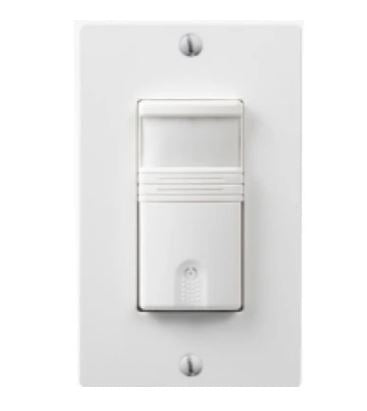
Westgate Vacancy and Occupancy Sensor Wall Switch YM2108-T-W

Intermatic 120-277 V Black Electronic Photocontrol NF10KL

Westgate Lighting Control Sensor Accessory SK618

Intermatic 120-277 V Electronic Photocontrol EK4036S

Intermatic 120-277 V Electronic Photocontrol ELC4536

Intermatic 120 V Thermal Photocontrol LC4521C
Lighting Spot 26 Lighting Accessory LSCI-HBSENSOR

Intermatic 120 V Thermal Photocontrol K4321C
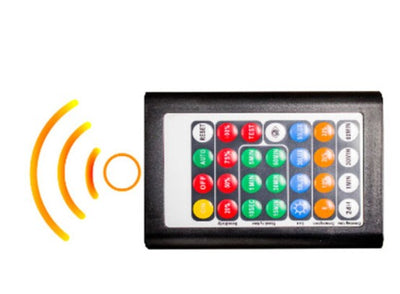
Westgate Lighting Control Sensor Accessory SK618-RC
Lighting Spot 26 Motion Sensor LS-WPST-5K

Intermatic 120-277 V Electronic Photocontrol EK4136S

Intermatic 120-277 V Thermal Photocontrol LC2100

Intermatic 120 V Metal Thermal Photocontrol K4421M

Intermatic White Occupancy Sensor IOS-DPBIMF-WH

Intermatic 120 V Thermal Photocontrol K4121C

Intermatic 208-277 V Thermal Photocontrol K4123C

Intermatic Residential In-Wall PIR Vacancy Sensor, White IOS-DPBV-WH

Intermatic 208-277 V Thermal Photocontrol LC4523

Intermatic 120-277 V Thermal Photocontrol LC4536LAC
About Cameras & Sensors
How to Choose Security Cameras & Sensors for Reliable Coverage
Security cameras and sensors solve different parts of the same monitoring problem. Cameras provide visual coverage, while sensors detect a defined event or change at a specific location. Before comparing resolution, alerts, or app features, decide what each area needs to see or detect, how the device will connect and receive power, and whether it will be installed indoors or outdoors. A system planned around those decisions is easier to place, wire, expand, and maintain.
- Need automatic lighting around monitored entrances or driveways? Coordinate the layout with security lighting.
- Need room-level presence detection for a separate control application? Review occupancy and motion sensors.
- Need timers, photocells, or other automatic controls elsewhere in the project? Start with sensors and controls.
Decide Whether the Location Needs Visual Coverage or Event Detection
A camera and a sensor answer different questions. A camera records or displays what happened in its field of view, while a sensor is built to report a particular change or condition depending on the device. Using one in place of the other can leave a gap even when the equipment itself works correctly.
Consider a 30-ft service entrance. A camera may provide a visual record of the approach, while a sensor may be used to detect activity at a defined point. Decision rule: write down what information you need from each location before choosing the device. If you need visual verification, plan camera coverage; if you only need a defined detection event, start with the appropriate sensor function.
Choose Wired, PoE, or Wireless Connectivity Before Finalizing Placement
Connectivity affects where a camera can be installed and what infrastructure the project needs. Network cameras may use a wired data connection such as Ethernet or PoE, while wireless cameras send data over Wi-Fi and still require an appropriate power method unless the specific model uses another source. Sensors can also vary between hardwired and wireless communication.
On a four-camera office perimeter, a wireless layout may look simpler until one mounting point sits outside reliable network coverage. A wired design requires more installation work but provides a dedicated path back to the network equipment. Decision rule: test or document connectivity at every mounting location before equipment is ordered.
Plan Camera Placement Around the View You Actually Need
A high-resolution camera does not solve a poorly chosen viewing angle. Walls, columns, parked vehicles, landscaping, bright exterior lighting, and the direction people approach can all reduce the useful part of the image. The goal is not simply to cover the largest possible area; it is to position the camera so the important activity happens where the image is actually usable.
For a 40-ft driveway, one wide view may show the whole approach but provide little detail at the point that matters most. Two overlapping views can sometimes solve a different problem than one extremely wide image. Walk the site from the expected approach direction and check blind spots, glare, and obstructions before fixing the final mounting positions.
Match Sensor Coverage and Placement to the Event Being Detected
Sensors only work well when their detection method matches the location. Motion detection depends on the sensing technology, field of view, mounting position, room geometry, and obstructions. Contact-style sensors depend on correct physical alignment and the operating gap specified for the device. A larger headline coverage number does not automatically make a sensor better for every space.
Imagine a 20-ft corridor that turns around a corner. A line-of-sight motion sensor positioned at one end may not detect activity after the turn, regardless of sensitivity. Decision rule: use the manufacturer’s coverage diagram, mounting instructions, and alignment requirements rather than choosing from range alone.
Outdoor Cameras and Sensors Need the Correct Location Rating
Indoor and outdoor equipment should not be treated as interchangeable. Exterior devices may be exposed to rain, temperature swings, dust, direct sunlight, and condensation, while cable entries and power connections also need protection appropriate to the location. The product documentation should explicitly identify where the device can be installed.
For a camera mounted on an uncovered exterior wall, the device rating is only one part of the installation. Cable transitions and connections also need suitable protection. Use weatherproof electrical boxes where the installation requires an outdoor-rated box, and junction boxes and enclosures for protected cable transitions and connection points suited to the project.
Check System Compatibility Before Adding More Devices
A camera or sensor should be evaluated as part of the complete system. Network protocol, recorder or platform support, available ports, power requirements, wireless ecosystem, storage method, and device-specific software can all affect whether a new component works with existing equipment. A shared brand name or similar connector does not guarantee interoperability.
For example, adding eight cameras to an existing network can change bandwidth, switch-port, power, and storage requirements even when every camera works individually. Decision rule: confirm the system architecture before standardizing a device across multiple locations. Power protection for sensitive network and monitoring equipment should also be planned as part of the electrical system rather than added after failures occur.
Ordering Cameras & Sensors for a Larger Project
For multi-device projects, organize the order by device function, location, connection method, power requirement, indoor or outdoor use, and quantity. Where cameras are involved, also record the intended viewing area and network or recorder requirements. Businesses sourcing equipment repeatedly can review Lumera Electric’s trade account options, while larger quantities can be sent through the project quote request.
What to Have Ready Before Requesting a Quote
For a site with multiple cameras or sensors, submit your device schedule with the basic requirements already separated by location.
Have these details ready:
- Device type or monitoring function
- Quantity
- Indoor or outdoor location
- Wired, PoE, Wi-Fi, or other required connection method
- Available power at each location
- Approximate mounting position
- Required camera viewing area or sensor coverage
- Existing network, recorder, hub, or control-system information
Separating the schedule by location makes it easier to identify where one device specification can be standardized and where the site requires a different connection, rating, or coverage approach.
Cameras & Sensors FAQs
What is the difference between a security camera and a motion sensor?
A security camera provides visual coverage, while a motion sensor reports detected movement within its designed coverage pattern. They can complement each other, but one does not automatically replace the other. If the sensor is being used for building or lighting control rather than video security, Lumera’s occupancy-sensor category covers dedicated motion-sensing controls.
Should I choose a PoE or Wi-Fi security camera?
PoE and Wi-Fi solve the connection problem differently. PoE uses Ethernet for a wired network connection and can also deliver power when supported, while Wi-Fi removes the data cable but depends on reliable wireless coverage and a suitable power source. Lumera’s PoE vs. Wi-Fi camera guide explains the tradeoffs in more detail.
Where should security cameras be positioned?
Place cameras where the important activity crosses a usable field of view without major blind spots, glare, or obstructions. Entry points, approaches, and areas with limited natural visibility usually deserve attention first, but the correct angle depends on the property. Lumera’s security camera placement guide covers mounting height, angle, overlap, and common placement mistakes.
Can an indoor camera or sensor be installed outdoors?
Only if the specific device is identified for the outdoor conditions where it will be installed. A covered porch and a fully exposed wall do not create the same environmental demands. Check the exact product rating for moisture, temperature, and other exposure before installation, and use suitable outdoor boxes or cable-entry hardware where the wiring method requires them.
Do cameras and sensors need surge protection?
Power and network-connected electronics can be vulnerable to electrical transients, particularly on exterior or distributed systems. The appropriate protection depends on how the equipment is powered and connected, so it should be planned with the rest of the electrical and low-voltage system. Lumera’s surge protection devices cover the electrical protection side of the project.